Six Website Checks Every Long Island Small Business Can Run This Afternoon
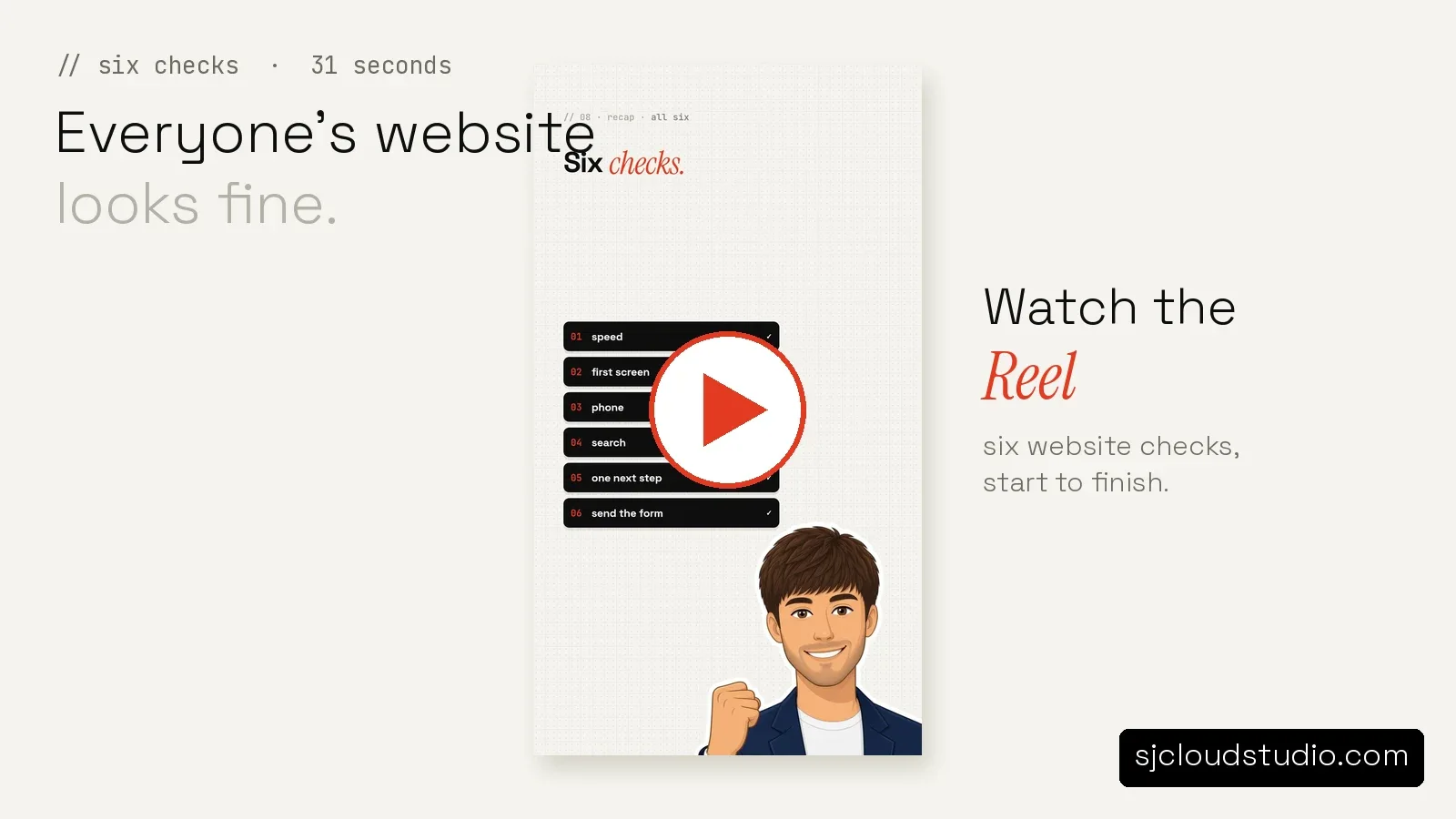
Watch the Reel: six website checks in 31 seconds
Everyone's website looks fine. It opened on your laptop last week, the photos are the right way up, and the phone number is somewhere on the page. Then the month ends and the enquiries aren't there.
For small businesses on Long Island, from a plumber in Nassau to a barber in Suffolk, the gap between "looks fine" and "gets calls" is usually six small things. None of them need a developer to spot. You can run all six website checks yourself in an afternoon with a phone, a laptop and a notepad.
This is the same list from our short Reel, and it's what a basic website audit covers before anyone builds or rebuilds a small business website in New York.
Quick answer: The six website checks are speed, the first screen, the phone view, what comes up when you search your own business name, whether there's one clear next step, and where the contact form actually goes. Each one takes a few minutes. Write down what you find, then fix the worst one first.
1. Speed: does it feel slow before you read a word?
Open your site on your phone with Wi-Fi turned off, so it's using mobile data the way a customer's phone would. Time how long it takes before you can read the headline. Not the logo, not the spinning loader. The headline.
A slow site loses people before they read a word. You don't need a scoring tool to feel it. If you find yourself looking away, waiting, or wondering whether it loaded, a stranger on a phone in a parking lot on Long Island has already gone back to the search results.
Write down one number: seconds until the text appears. That number is your first clue in any website audit.
2. The first screen: can a stranger tell what you do?
Take one screenshot of your homepage before you scroll. Just that first screen.
Now look at it the way a stranger would. What do you do? Where do you do it? What should they do next? If any of those three answers isn't on that first screen in plain words, your small business website is making people work to understand it.
"A stranger should know what you do before they scroll" is the whole test. No jargon, no clever tagline you have to explain. Say the trade, say the area, then say what to do. A Long Island roofer should say roofing, say Nassau and Suffolk, and show a call button, all before anyone swipes.
3. The phone view: that may be the only version someone sees
Open your site on your phone again and go through it properly. Read the menu, tap the phone number, scroll to the bottom, try to find your hours.
The phone view may be the only version a customer ever sees. If it's cramped, if the call button is small, or if the text runs off the side of the screen, they'll leave even though the desktop version looks fine to you. This is where most small business websites quietly lose people, and it never shows up in a browser on your desk.
Write down every tap that missed or menu that was hard to open.
4. Search your own business name
Open a private or incognito window, so you see what a new visitor sees, and search your business name plus your town. Then read the results like a customer.
Whatever comes up is what they see first. Check it for:
- An old address or an old phone number
- Hours that changed two winters ago
- A review site listing with no website link
- No website at all on the first screen
This one matters for local SEO in Long Island and across New York, because the map and directory listings often show up above your own site. If they're wrong, the best-looking small business website on the block still sends people to the wrong door.
5. One clear next step
Not five links. One.
Count how many different things your homepage asks a visitor to do. Call. Text. Email. Fill the form. Follow on Instagram. Read the blog. Join a mailing list. Each extra option gives someone another way to decide to do nothing.
Pick the one action you actually want from a new customer, usually a call or a short form, and make that the obvious button on every page. The other links can stay, but they shouldn't compete with it. That single button is often the biggest difference between two small business websites in the same town.
6. Send the form yourself
Fill in your own contact form the way a customer would, with a test message. Then see what actually happens after.
Does it arrive in an inbox you check? Does the customer get any confirmation? Does it disappear into a mailbox nobody has opened since the site launched? Here's an example: a shop owner sends a test message on a Tuesday afternoon, sees a confirmation on screen, and finds out weeks later that nobody had seen the enquiries because they were landing in an old email address.
Do this one today. It's the cheapest fix on the list and the easiest to forget.
Watch the six checks in 31 seconds
The Reel version walks through the same six points. Watch the six checks here.
Where the list usually leads
Once you've written down all six, don't try to fix everything at once. Work in this order:
- Anything wrong or out of date, such as hours, phone numbers and addresses in your listings
- Whether the first screen says what you do, where, and what to do next
- The phone view, because that's how many people will meet you
- Where the form goes, and who answers it
- Speed
- Trimming the next steps down to one
A website audit done this way takes an afternoon. The fixes range from a ten-minute correction to a rebuild, depending on what you find.
Where the AI side fits in
A site that looks right still has to answer people. Two pieces sit alongside the design.
An AI lead inbox collects the enquiries from your site and keeps them in one place, so a form submission doesn't sit in a mailbox nobody watches. It's included with a full site build, and it's also the first thing worth adding to a site you already have.
An AI receptionist answers your business phone 24/7 in English and Spanish when nobody can pick up. It knows your services, prices, hours and area, transfers calls, takes messages and emails them to you, flags urgent ones, logs every call, and blocks robocalls. It doesn't book appointments or take payments, and it doesn't send texts. It makes sure a call becomes a message you can return.
If you'd like the six website checks run on your own site and the gaps turned into a plan, we do a free 4-hour private preview. A landing page starts at $1,000, the AI lead inbox adds $600, a website of up to five pages is $2,600 with the inbox included, and an AI receptionist starts at $7,500.
You can also read our contractor website checklist, our piece on whether your business website is safe, and our guide to an AI lead inbox for snow removal crews for more on the build side. For a quick automatic look at your own homepage, try our free website check.
FAQ
What are the six website checks?
Speed, the first screen, the phone view, searching your own business name, one clear next step, and sending your own contact form. Each is a few minutes of looking at your site the way a stranger would.
How long does a self-audit take on a small business website?
Most owners get through all six in an afternoon, including filling in the contact form and waiting to see whether it arrives. You don't need anything beyond a phone, a laptop and a notepad.
Do I need a paid tool to check my website in Long Island or New York?
No. The six website checks in this post are all things you can see for yourself. Tools help later, once you know which problem you're fixing.
Why does the phone view matter more than the desktop version?
Because the phone may be the only version a customer ever sees. If they found you while they were out, the phone view is your shop front, and a cramped or awkward one loses them before they call.
My site looks fine but I get few enquiries. Where should I start?
Start with the contact form and the first screen. Send yourself a test message and follow it to whoever should answer it, then check that the first screen says what you do, where you do it, and what to do next.
How much does a small business website cost on Long Island?
A landing page is $1,000, and an AI lead inbox adds $600. A website of up to five pages is $2,600 with the inbox included, and an AI receptionist starts at $7,500. Every project starts with a free 4-hour private preview.

Founder of SJ Cloud Studio on Long Island. I build websites and AI receptionists for local businesses, and I write here about what works for them. More about me.
Keep reading